
SSL Certificate Private Key Mismatch: Prove the Pair
Check an SSL certificate and private key with OpenSSL. See real matching and mismatched RSA digests, an EC example, and the Nginx chain-order trap.
By Sam, My-SSL contributor
Sam is the founder of My-SSL, a Certum SSL and code-signing partner.
Tested on Darwin 25.4.0 arm64 with OpenSSL 3.6.3, September 28, 2026.
An SSL certificate and private key mismatch means the certificate does not contain the public key corresponding to the key you selected. Extract and compare their public keys locally before replacing either file. If they match, check which certificate and key the server actually loads, including the first certificate in its chain file.
Key takeaways
- Compare the public key extracted from the certificate with the public component of the private key. Keep the private key local.
- Stop if either extraction fails. Hashing empty or stale output can give a false match.
- For Nginx, check the configured paths and put the server certificate first in the chain file before replacing a key.
- A matching pair does not establish certificate trust, hostname coverage or correct deployment.
One RSA key matched our certificate; a second, independently generated key did not. We also checked a P-256 EC pair. Here are the commands and the results.
How do I check whether the certificate and key match?
Work in a new private directory. Keep your existing server files unchanged. The names in this example belong to our local test: lab-cert.pem is the certificate, matching-key.pem its private key, and different-key.pem a separate key. Substitute your own input paths; do not reuse an input filename for an output.
Check which OpenSSL executable your shell resolves:
openssl version
Our output was:
OpenSSL 3.6.3 9 Jun 2026 (Library: OpenSSL 3.6.3 9 Jun 2026)
On this Mac we invoked /opt/homebrew/opt/openssl@3/bin/openssl; the system's openssl executable was a different implementation. Use the executable you checked for every following command.
First extract the certificate's public key and encode it as DER:
openssl x509 -in lab-cert.pem -pubkey -noout > certificate-public.pem &&
openssl pkey -pubin -in certificate-public.pem -outform DER -out certificate-public.der &&
openssl dgst -sha256 certificate-public.der
Then extract only the public part of the private key in the same format:
openssl pkey -in matching-key.pem -pubout -outform DER -out matching-public.der &&
openssl dgst -sha256 matching-public.der
The actual results:
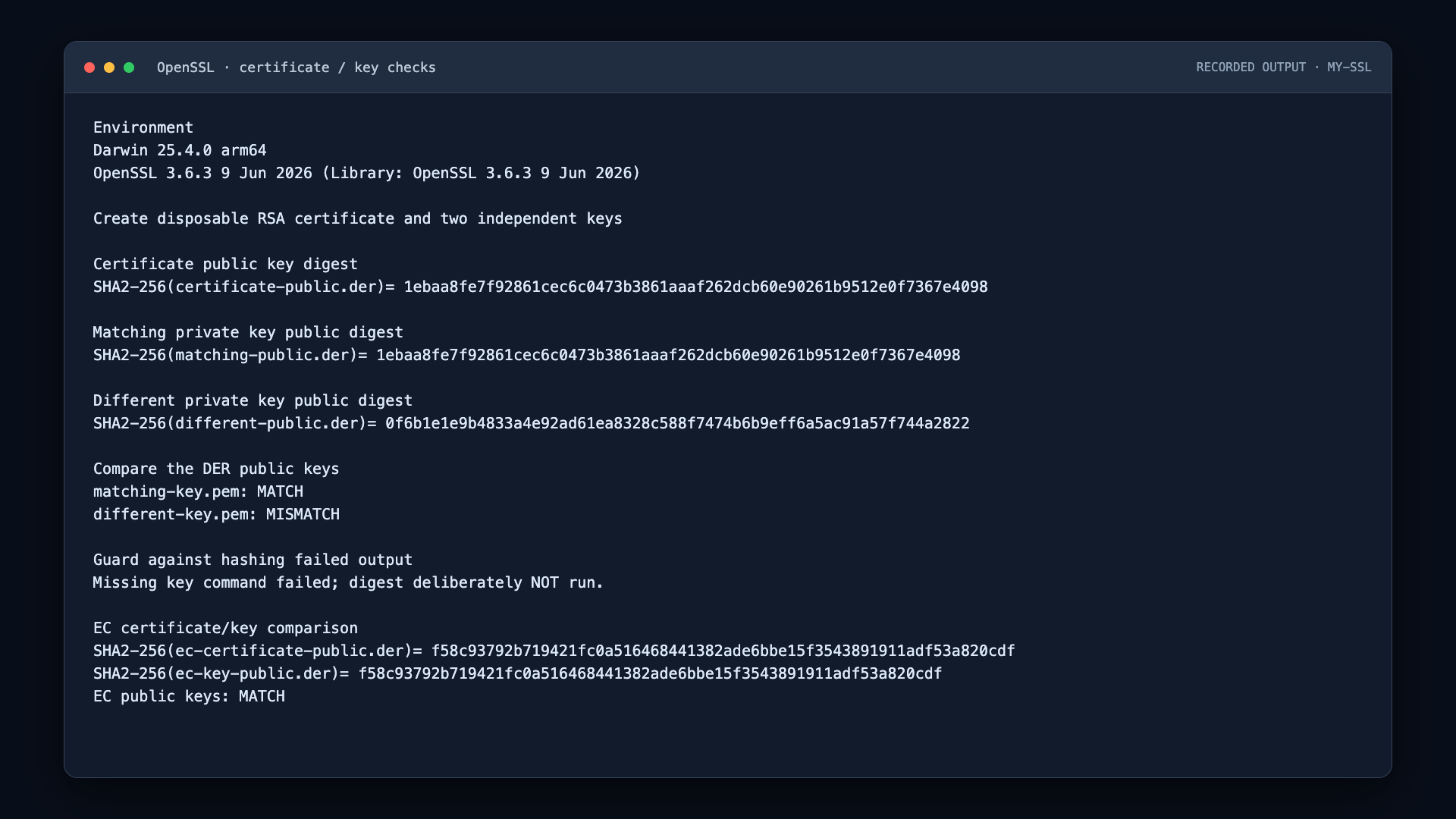
SHA2-256(certificate-public.der)= 1ebaa8fe7f92861cec6c0473b3861aaaf262dcb60e90261b9512e0f7367e4098
SHA2-256(matching-public.der)= 1ebaa8fe7f92861cec6c0473b3861aaaf262dcb60e90261b9512e0f7367e4098
Those digests match. We also compared the DER files directly with cmp -s certificate-public.der matching-public.der; that comparison succeeded.
The -pubout option matters: the output contains the public component, not an exported private key. Never upload your private key, its passphrase, or a PFX containing it to an online checker or a support ticket. If the key is encrypted, let OpenSSL prompt for the passphrase rather than putting it into a command that will be recorded.
A genuine RSA mismatch
We repeated the extraction with our independent RSA key:
openssl pkey -in different-key.pem -pubout -outform DER -out different-public.der &&
openssl dgst -sha256 different-public.der
It returned:
SHA2-256(different-public.der)= 0f6b1e1e9b4833a4e92ad61ea8328c588f7474b6b9eff6a5ac91a57f744a2822
That value differs from the certificate's public-key digest. The direct file comparison also differed. Changing the filename would not fix this pair: the certificate contains one public key, and the selected private key belongs to another.
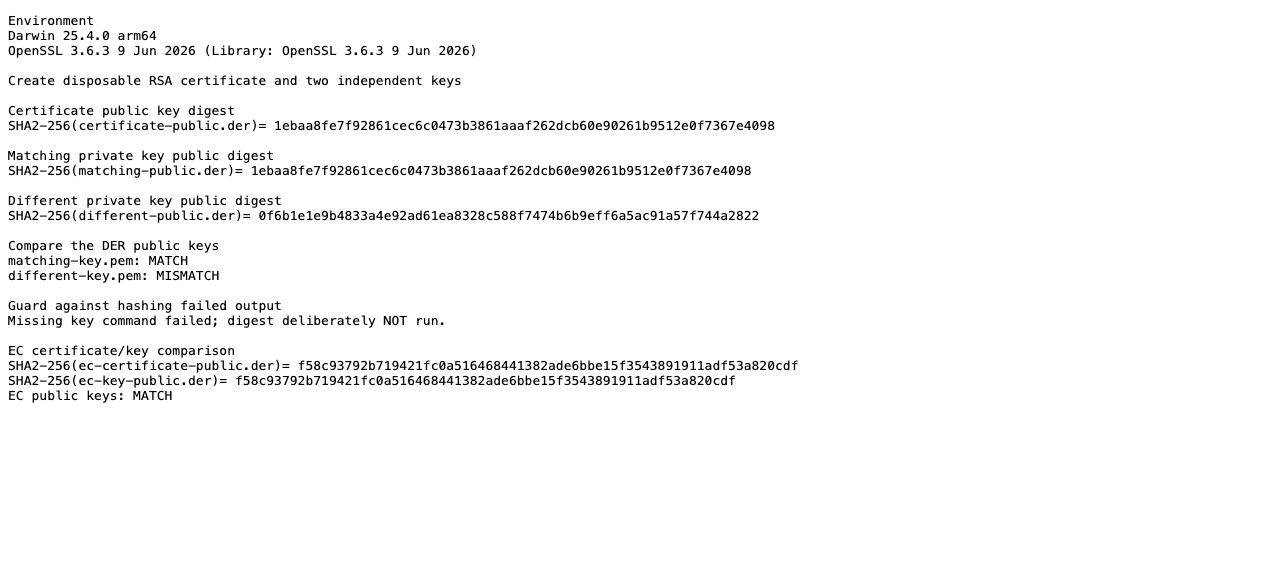
Screenshot of the saved command output from our local test. The hexadecimal values are the actual generated results; your keys will produce their own values.
Before asking for reissuance, check the certificate and key paths in the configuration that failed. A certificate downloaded for a different request or a key left over from an earlier deployment sends you down the same diagnostic branch: locate the intended pair before changing the deployment.
If the matching private key is lost, look in your approved backup or key-management system. A newly generated key does not repair an existing certificate. If recovery is impossible, generate a replacement key and CSR through your approved process, then arrange reissuance. Suspected key exposure also requires your compromise and revocation process; it is not just a filename problem.
Does this work with an EC certificate?
The public-key method is not limited to RSA modulus comparison. We ran the same extraction approach with a P-256 EC certificate and its private key:
openssl x509 -in ec-cert.pem -pubkey -noout > ec-certificate-public.pem &&
openssl pkey -pubin -in ec-certificate-public.pem -outform DER -out ec-certificate-public.der &&
openssl pkey -in ec-key.pem -pubout -outform DER -out ec-key-public.der &&
openssl dgst -sha256 ec-certificate-public.der ec-key-public.der
The resulting digests matched:
SHA2-256(ec-certificate-public.der)= f58c93792b719421fc0a516468441382ade6bbe15f3543891911adf53a820cdf
SHA2-256(ec-key-public.der)= f58c93792b719421fc0a516468441382ade6bbe15f3543891911adf53a820cdf
DER avoids comparing PEM line wrapping. It does not make every possible representation of an EC public key identical: explicit versus named curve parameters and point encodings can need normalization. Investigate such encoding differences before declaring that unusual EC exports represent different mathematical keys. Our ECC versus RSA guide explains the algorithm choices separately.
Stop when OpenSSL cannot read a file
Stop at the first extraction error. Do not hash the output of a command that failed, and do not compare a stale output file left by an earlier attempt.
We tested this guard with a missing input file. The private-key extraction failed, and the script deliberately skipped the digest:
Missing key command failed; digest deliberately NOT run.
That is why the examples connect extraction and hashing with &&. Each following command runs only after the preceding command succeeds. Comparing two empty or stale exports is not evidence that the original keys match.
Check the path, access permissions, input format and any required passphrase. Keep private-key contents out of the troubleshooting log. For a key inside an HSM or managed signing service, use the provider's supported public-key inspection instead of exporting it to follow these file-based examples.
Why does Nginx report a mismatch when my pair matches?
Inspect the actual ssl_certificate and ssl_certificate_key configuration. Testing one local pair does not prove that the service loads those files.
Nginx documents another specific cause: a combined certificate file starts with an intermediate rather than the server certificate. Nginx attempts to associate the private key with the first certificate and reports a key-values-mismatch error. Put the server certificate first, followed by the intermediate certificates in the required chain order. Do not replace a correct private key to compensate for the wrong first certificate.
After an approved change, run the server's configuration check before reloading and verify the certificate presented by the endpoint. A successful local key comparison alone is not a deployment test.
A matching pair is not a complete HTTPS check
The comparison answers one question: whether these public-key exports match. It does not check expiry, hostname coverage, the intermediate chain, client trust or the files selected by the running service.
If the pair is correct but a Java client rejects the connection, follow the separate Java PKIX trust-path troubleshooting guide. Do not weaken certificate or hostname verification to make a connection work.
Do I need another certificate?
Not if the right certificate and key already exist and the problem is a configuration path or chain order. Recover the intended pair and correct the configuration first.
If you do need a replacement certificate, compare coverage and validation requirements in the SSL certificate pricing guide. My-SSL's DV SSL Certificate is USD $3.99 per year, excl. tax, as of September 28, 2026. Check the current certificate options and prices before ordering. The annual billing cycle is not a promise that one issued certificate remains valid for a year. A configuration correction or reissue may resolve this without a new purchase. Buying another certificate does not recover a lost private key; the replacement must be issued for the key you will actually use.
Signing an application is a separate requirement from serving HTTPS. For that use case, start with code-signing certificate options, not a website TLS certificate.