
Java PKIX Path Building Failed: Diagnose TLS Trust Errors
Fix Java PKIX path-building errors by checking the actual runtime, active truststore and server certificate chain—without disabling certificate validation.
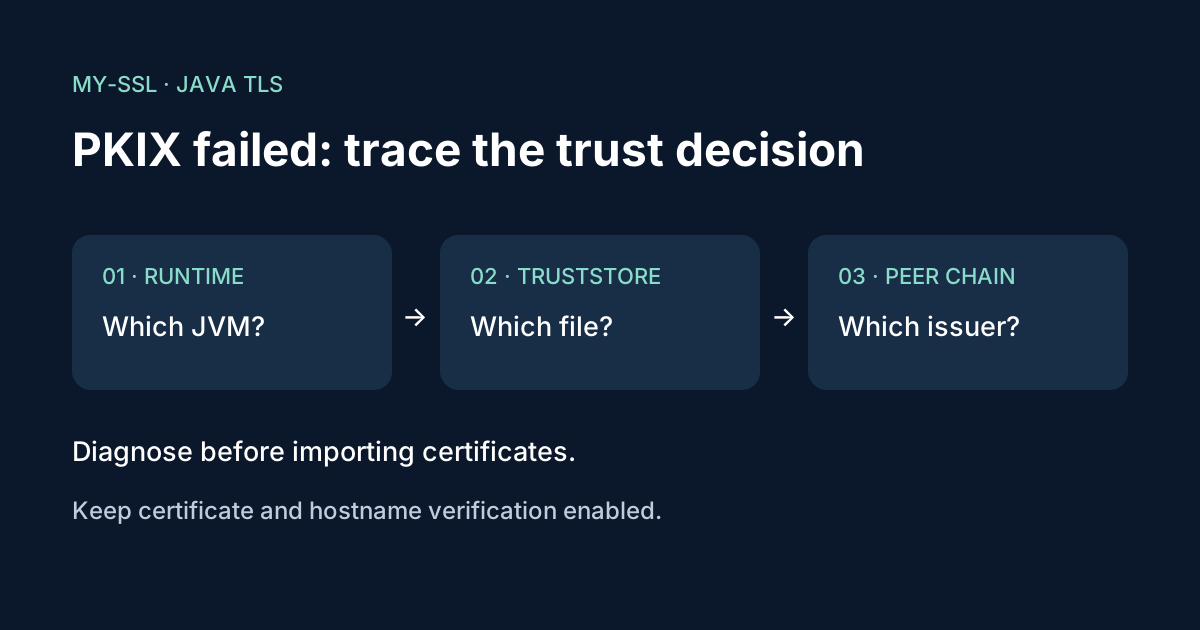
A Java TLS error containing PKIX path building failed means the certificate-path builder could not establish an acceptable certification path with the material and constraints available to it. The next step is to identify the Java runtime, trust configuration and certificate chain involved—not to disable verification or blindly import the certificate shown by a browser.[1][2]
This guide focuses on a Java application connecting to an HTTPS service. It follows Oracle's Java SE 25 documentation for the SunJSSE provider. Frameworks that create their own SSLContext or use a different TLS implementation may use different configuration. The examples are documentation-checked, not a claim of a reproduced Java application test.
1. Capture the complete failure context
Record the destination hostname, port, application component and nested exception. Note whether the failure began after a Java upgrade, certificate renewal, container rebuild or network change. These are leads to investigate, not proof of a particular cause.
Distinguish the direction of the connection. A Java client deciding whether to trust an API server has a trust question. A service presenting its own identity has a key-and-certificate question. Mutual TLS involves both directions, so identify which peer rejected which certificate before changing either store.
A certificate being valid in your browser is not conclusive evidence that the Java process accepts it. The process may have a different trust configuration or connect through a different network path.
2. Find the runtime the application actually uses
A terminal's java -version describes the Java executable invoked there. It does not prove which runtime a service, application server or container is running. Inspect the application's deployment configuration and startup settings through your normal operational tooling.
Record the runtime version and Java home for that process, along with any application-specific TLS configuration. Do not paste a complete process environment or command line into a ticket: either can contain credentials unrelated to the certificate issue.
This step matters when an administrator changes one installation's cacerts, but the failing application runs on another JDK. Avoid modifying any truststore until you know it is the one used for this connection.
3. Identify the active truststore
For the documented SunJSSE default TrustManagerFactory lookup, an explicitly configured javax.net.ssl.trustStore is checked first. Without that property, JSSE looks for java-home/lib/security/jssecacerts and then java-home/lib/security/cacerts.[1]
There is an important failure case: Oracle documents that when the explicit trustStore property points to a nonexistent file, the default trust manager is created with an empty keystore.[1] Check the configured path inside the actual runtime environment, including container mounts and access permissions.
An application can initialize its own SSLContext and trust managers. In that case, editing the default cacerts file may have no effect. Follow the framework's documentation rather than treating a JVM property as a universal override.
Use the keytool shipped with the intended JDK to inspect a known truststore path:[3]
keytool -list -v -keystore /absolute/path/to/application-truststore.p12
Replace the example path with the actual store. Supply any required password through the prompt or your approved secret-handling mechanism, not as a literal argument copied into logs. This is an inspection command; it does not import a certificate.
4. Compare the chain Java receives with the trust it has
In a controlled reproduction, SunJSSE can log handshake and trust-manager activity with:[1]
java -Djavax.net.debug=ssl,handshake,trustmanager -jar application.jar
This is a launch pattern for an executable JAR, not a command to run alongside a production service. Add equivalent JVM options through your application's supported configuration in a test environment. Do not accidentally start another worker, scheduled job or customer-facing instance just to obtain a trace.
Keep the log restricted and short-lived. It can expose certificate identities, internal names and deployment details. Avoid enabling plaintext or packet logging unnecessarily. Remove the diagnostic setting after collecting the relevant failure.
Look for the certificates presented by the peer, the trust material selected and the nested validation error. Then investigate the matching branch:
| Finding | Safer next step |
|---|---|
| Explicit truststore path is wrong or absent in the container | Correct the deployment path or mount |
| Public server omits a needed intermediate | Correct the server's supplied certificate chain |
| Endpoint uses an approved private CA | Obtain the organization's authentic CA certificate and apply the approved application trust configuration |
| Certificate or chain is rejected under validity or algorithm constraints | Correct or replace the affected certificate or chain; do not weaken policy to hide the failure |
| Connection sees an unexpected issuer | Investigate proxies, interception and the network route with the security owner |
These findings require evidence from the actual connection. The exception text alone does not select a row.
5. Make the smallest justified trust change
Do not import an unverified certificate merely because it makes the exception disappear. A trust decision authorizes an identity or issuer; it is not a harmless cache refresh.
For an intended private CA, obtain its certificate from the responsible administrator through an authenticated route. Independently compare its fingerprint before importing. Oracle's keytool documentation discusses inspecting certificate fingerprints before trusting an imported certificate.[3]
Prefer an application-scoped, managed trust configuration where your deployment supports it. Record what was added, why it was trusted and how it will be maintained. Do not assume a separate custom truststore automatically adds its contents to the JDK's existing roots: inspect what the chosen configuration actually loads.
If a public service's chain is incomplete, fix that server-side problem rather than requiring every client to trust its leaf certificate directly. For an Nginx deployment, the official HTTPS configuration guide explains how to supply the server certificate and intermediate chain.
Never install a trust-all manager or disable hostname verification as the production fix. These changes remove checks that TLS relies on to authenticate the peer.
6. Prove the application recovered
Repeat the failed request using the same deployment, hostname and network path after the approved change. Confirm certificate and hostname verification remain enabled. Retest other HTTPS dependencies if the truststore was replaced, because a successful call to one endpoint does not prove all required issuers remain trusted.
Keep a sanitized record of the runtime, active truststore and corrective change. A successful keytool import is not the final result; the original application connection must work with the intended security checks intact.
Frequently asked questions
Why does the website work in my browser but fail in Java?
The browser and Java application may not use the same trust material or connection path. Inspect the running application rather than assuming browser success proves Java trust.
Should I import the server certificate into cacerts?
Not as a first step. Identify the missing or rejected trust path and validate any certificate before trusting it. A server-chain fix or the correct application truststore may be the appropriate change.
Can buying another SSL certificate fix this?
Sometimes a replacement certificate is part of the solution, but it will not fix a wrong truststore path or an application loading the wrong configuration. Diagnose first.
Is this the same as a hostname mismatch?
No. Path validation and hostname verification are distinct checks. Fixing a path-building failure does not prove that the certificate covers the hostname the application requested.
Need help with a certificate you ordered?
Contact My-SSL support with the public hostname, Java version, sanitized nested exception and relevant chain details. Keep truststore passwords, private keys and application credentials out of the request.
Sources
[1] Oracle: Java SE 25 JSSE Reference Guide